
Predict, evaluate, and reflect
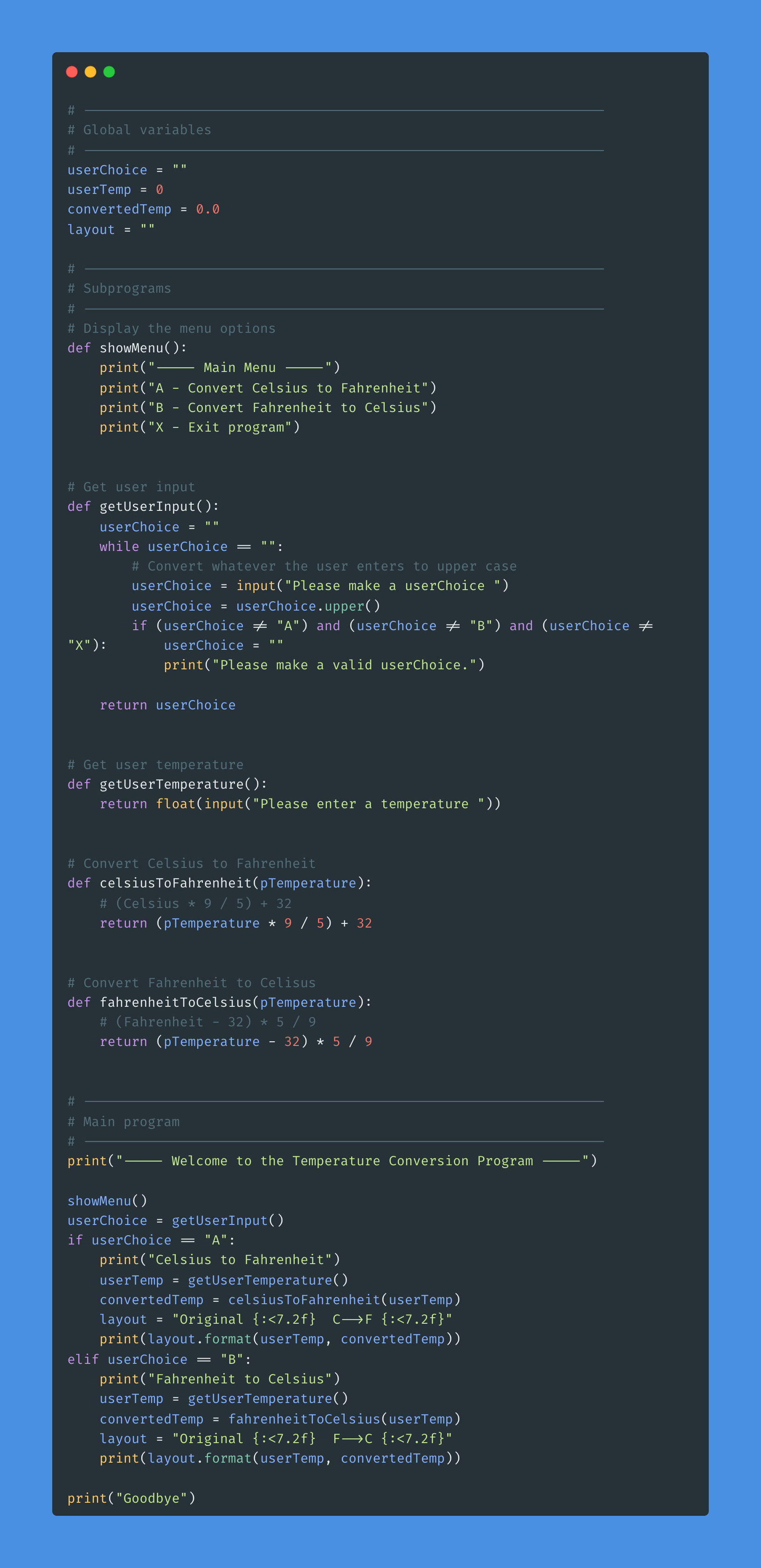
What does the program do?
(What happens when it runs?)
What could make it better?
(Is there anything you would change or add?)
Why was it made like this?
(What do you think the programmer wanted it to do?)
Why might the program not work?
(What could stop it from running properly?)
What kind of mistake or error could happen?
(Is it a typing error, logic error, or input problem?)

Investigate the program features
| Focus Area | Question | Answer |
|---|---|---|
| Variables | What variable is used to keep track of the score? (Where is it created, and how does it change?) |
Answer: The variable
score is created at the start (e.g. score = 0) and increases when the user gets a question right. |
| Input | How does the program get answers from the user? (Look for input() and how it’s stored.) |
Answer: It uses
input() to get the user’s response and stores it in a variable (e.g. answer = input("...")). |
| String Methods | Why does the program use .strip().lower() after input? (Think about spaces and capital letters.) |
Answer: It removes extra spaces and ignores capitalisation so answers are compared fairly.
|
| If Statement | How does the program check if the user is right or wrong? (What line of code compares their answer?) |
Answer: It uses an
if statement like if answer == "register": to compare the user’s input to the correct answer. |
| Repetition | What parts of the program are repeated for each joke? (How do the jokes follow the same pattern?) |
Answer: Each joke block repeats input, checking, and feedback — following the same structure for consistency.
|
| Score Update | How does the score change when the player gets an answer right? (Find where score increases.) |
Answer: The score increases with
score += 1 (or += 2 if modified for double points). |
| Output (f-string) | How does the program show the final score at the end? (Look at the print line with {score}.) |
Answer: It uses an f-string like
print(f"Your final score is {score}!") to display the total. |

Improve and extend the code
| Focus | Task | ✓ |
|---|---|---|
| Change your program so that… | It asks the player for their name and uses it in messages. (Use input() and an f-string: print(f"Hello, {name}!")) |
|
| What happens when you alter your program so that…? | Each correct answer gives 2 points instead of 1. (Change how score increases in each if statement.) |
|
| Add to the program so that… | It has two more jokes following the same pattern. (Copy one joke block and change the text and punchline.) | |
| Improve your program. | Make it more user-friendly by: adding blank lines, emojis, or separating jokes with dividers. (Use \n or print("-" * 20) to add space.) |
|
| Extension (Challenge) | Show the player’s score after each joke instead of only at the end. |

Build the Planet Weight Converter
- Build a converter that calculates a person’s weight on other planets using a function planetWeightConverter()
- User enters weight on Earth.
- Present options for Mercury / Venus / Earth / Mars / Jupiter / Saturn / Uranus / Neptune.
- User chooses a planet.
- Multiply by relative gravity.
- Format with units.
- Output new weight.
weight_on_planet = weight_on_earth × gravity_ratio[planet]
Common Gravity Ratios (≈)
- Mercury: 0.38
- Venus: 0.91
- Earth: 1.00
- Mars: 0.38
- Jupiter: 2.34
- Saturn: 1.06
- Uranus: 0.92
- Neptune: 1.19
Example: If the user enters 70 kg (or 70 as a weight reading), then on Mars:
70 × 0.38 ≈ 26.6 — same unit as input.
JUMP123 Assessment
| Level 1 | Level 2 | Level 3 |
|---|---|---|

|

|

|
|
The program uses basic code we’ve learned before. Some parts work, but there are mistakes or things missing. It doesn’t fully do what it should yet. |
The program has the main idea working (like a loop, input, or if statement). It mostly works, but might still have a few small errors or need clearer output. |
The program works perfectly and does everything the task asked for. It’s clear, correct, and easy to use — maybe even has extra features or nice touches. |